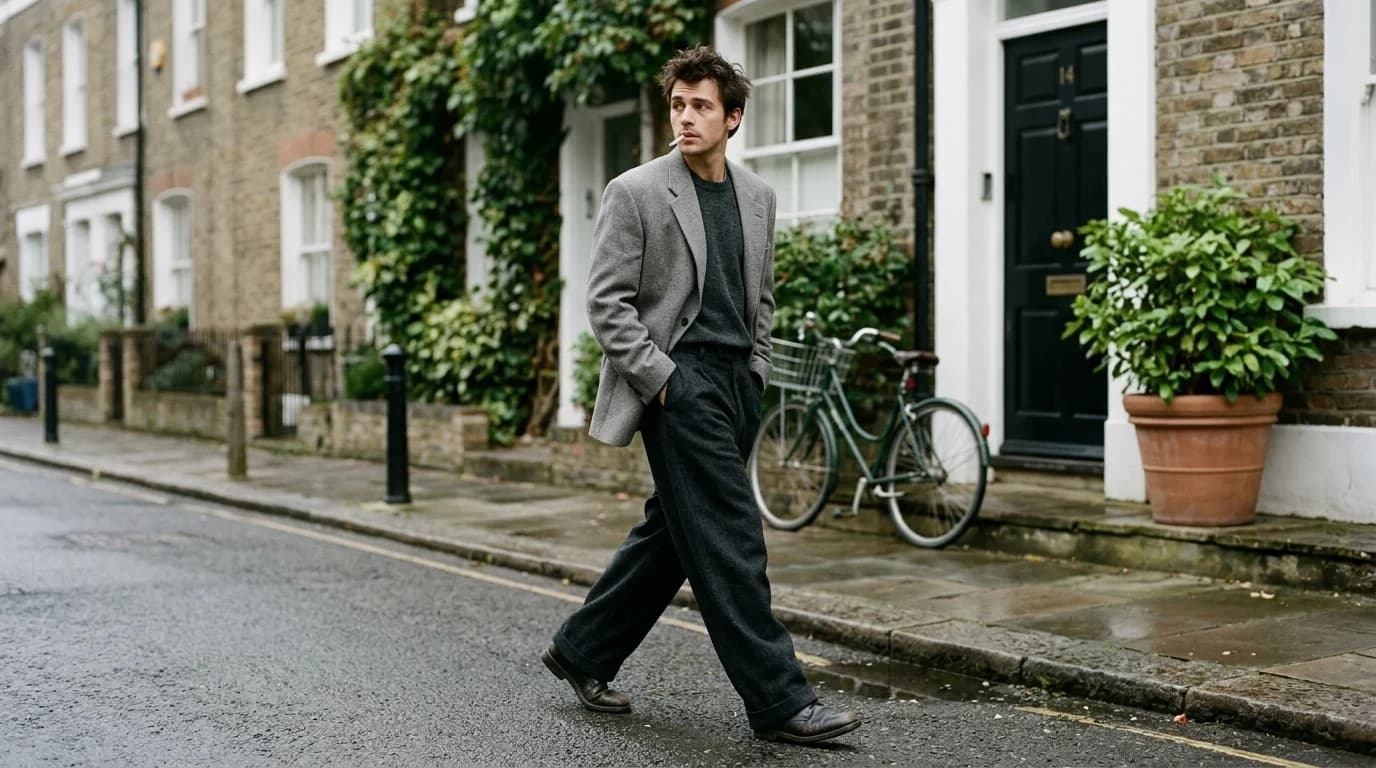
The model breaks your AI fashion video first. Fabric can drift and nobody notices. Lighting can shift and it reads as natural variation. But a model's arm clipping through their torso, or their face reshaping between frames? Viewers catch it instantly.
Human movement is what AI video handles worst. Joints bend in specific ranges. Weight shifts force adjustments through the whole body. Clothing responds to every motion underneath it. Current models approximate all of this through pattern matching, not physics. Some movements work. Most don't. Figure out which before you burn generation credits on shots that will never render clean.
This guide covers how to direct model poses and movement for AI fashion video, building on our coverage of camera movement and fabric behavior.
The golden rule: less movement is better
This applies to every AI fashion video shot. The less the model moves, the better the output. A model standing with a slight weight shift looks more convincing than one walking. Slow walking beats fast walking. A model doing nothing but breathing looks best.
It's a training data problem. Millions of images exist of people standing still. Far fewer videos capture people in motion. More movement means fewer references and more interpolation between sparse data points. That interpolation is where artifacts show up.
For fashion, stillness has a second advantage: garment stability. A silk charmeuse dress on a still model holds its drape. Put that dress on a walking model and it has to respond to hip movement, leg swing, and arm motion, all tracked imperfectly.
Poses that work
Standing neutral. Feet shoulder-width apart, arms at sides or one hand on hip, slight weight shift to one side. The baseline pose for lookbook videos. Renders well because millions of fashion photographs use it.
Prompt: "model standing, slight weight shift to left hip, arms relaxed at sides"
Contrapposto. Weight on one leg, opposite hip dropped, shoulders counterbalanced. Fashion has photographed this pose more than any other, so the AI has plenty of reference data. The asymmetry gives you visual interest without movement.
Prompt: "model in contrapposto pose, weight on right leg, left hip dropped"
Hands on hips. Both hands or one hand on the hip bones. The AI generates this reliably, but watch the fingers. Hands remain the weakest point. Frame the shot to crop below the wrists and you skip hand artifacts entirely.
Prompt: "model with left hand on hip, right arm at side"
Looking away. Model faces the camera but head turns to one side, or model in three-quarter view. Less facial detail for the AI to render. More editorial feel. Head position stays consistent when the body stays still.
Prompt: "model facing camera, head turned slightly to the right, eyes off-camera"
Movement that works (barely)
Slow weight shift. The model shifts weight from one foot to the other over 3-5 seconds. Minimal foot movement. Hips shift, shoulders counterbalance, the garment responds subtly. Safe because the body barely changes position.
Prompt: "model slowly shifting weight from left to right foot, subtle movement, 4 seconds"
Hair and fabric in a breeze. The model stays still. A gentle breeze moves hair and fabric. You get a clip with life in it and zero body motion. Works well with silk charmeuse and chiffon, though keep chiffon clips under 3 seconds.
Prompt: "model standing still, gentle breeze moving hair and dress fabric, 4 seconds"
Slow straight walk toward camera. Two or three steps maximum. Slow pace. Forward walks render clean when the movement stays minimal and the direction stays simple. Pairs well with a static camera or matched pull-back.
Prompt: "model walking very slowly toward camera, 2-3 steps, even pace, 5 seconds"
Quarter turn. The model rotates 90 degrees from front to side view. Slow, deliberate rotation. You see the garment's silhouette from two angles in one clip. Keep it under 4 seconds.
Prompt: "model slowly turning 90 degrees from front to left profile, 4 seconds"
Movement that breaks
Full turns or pivots. The runway turn (walk-stop-pivot-walk-back) requires the AI to handle a directional change while holding body proportion and garment consistency. It almost never works. Generate approach and return as separate clips.
Fast walking or running. Rapid leg movement, arm swing, and the fabric reacting to both. Frame interpolation can't keep up. Legs clip together, arms phase through the body, proportions stretch.
Hand gestures with objects. Adjusting a collar. Buttoning a jacket. Running a hand through hair. Hand-object and hand-garment interaction produces artifacts every time. Fingers merge, buttons teleport, fabric clips through hands.
Dancing or choreography. Too many joints in motion at once. The AI loses track of limb positions and body proportion within 2-3 seconds.
Sitting or transitional poses. Standing to sitting, or bending to pick something up. The AI has to manage a chain of joint movements while the garment tracks a body shape that's changing. The garment almost always fails even when the body holds.
Direct for the garment, not the model
In fashion video, the model exists to display the garment. Direct the model to show the garment at its best, not to look dynamic on their own.
For structured garments (tailored blazers, wool coats): keep the model still or use a slow orbit. Structured garments look best when they hold their shape. Movement deforms them.
For flowing garments (silk charmeuse dresses, chiffon skirts): add subtle movement. A weight shift or gentle breeze activates the fabric without body motion. The fabric carries the shot.
For detailed construction (exposed seams, pleats, embroidery): use a static pose with a push-in camera. The model holds still. The camera moves. Detail stays sharp.
The face problem
Facial consistency is where AI video still falls short. Within a single clip, eyes change size, the jawline reshapes, skin tone shifts. Across clips, the same "model" can look like a different person.
Frame below the chin. For garment-focused shots, crop at the shoulders or collarbone. No face, no face artifacts. Many editorial shoots already frame for the garment anyway. Standard practice.
Use profile or three-quarter view. Less facial surface area, less to go wrong. Side views render better than front-on.
Downward gaze. Eyes closed or looking down reduces facial complexity. It also reads as editorial: contemplative, removed, intentional.
Accept imperfection. Real fashion video uses multiple models. Slight variation between clips is normal. If the garments stay consistent, small facial differences between clips matter less than you expect.
FAQ
What's the best model pose for AI fashion video?
Standing neutral with a slight weight shift. It appears in more fashion photography than any other pose, so the AI has the strongest reference data. Contrapposto (weight on one leg) is a close second. Both keep the body still enough for consistent generation.
Can AI handle walking in fashion video?
Slow walking only. Straight toward camera. Two to three steps maximum. Fast walking, turns mid-walk, or sideways camera tracking will produce artifacts. Keep walks under 5 seconds.
How do I avoid hand artifacts in AI fashion video?
Frame to exclude hands when possible. Crop at the wrist, or place hands on hips where the AI has strong training data. Never prompt for hand-garment interaction like adjusting a collar or buttoning a jacket. If hands must be visible, keep them at rest.
Should AI fashion video show the model's face?
Only if the face isn't the focus. Garment-focused shots work better framed at the shoulders or below. When the face is visible, use profile views or downward gaze to reduce artifact risk. Facial consistency across clips won't be perfect.