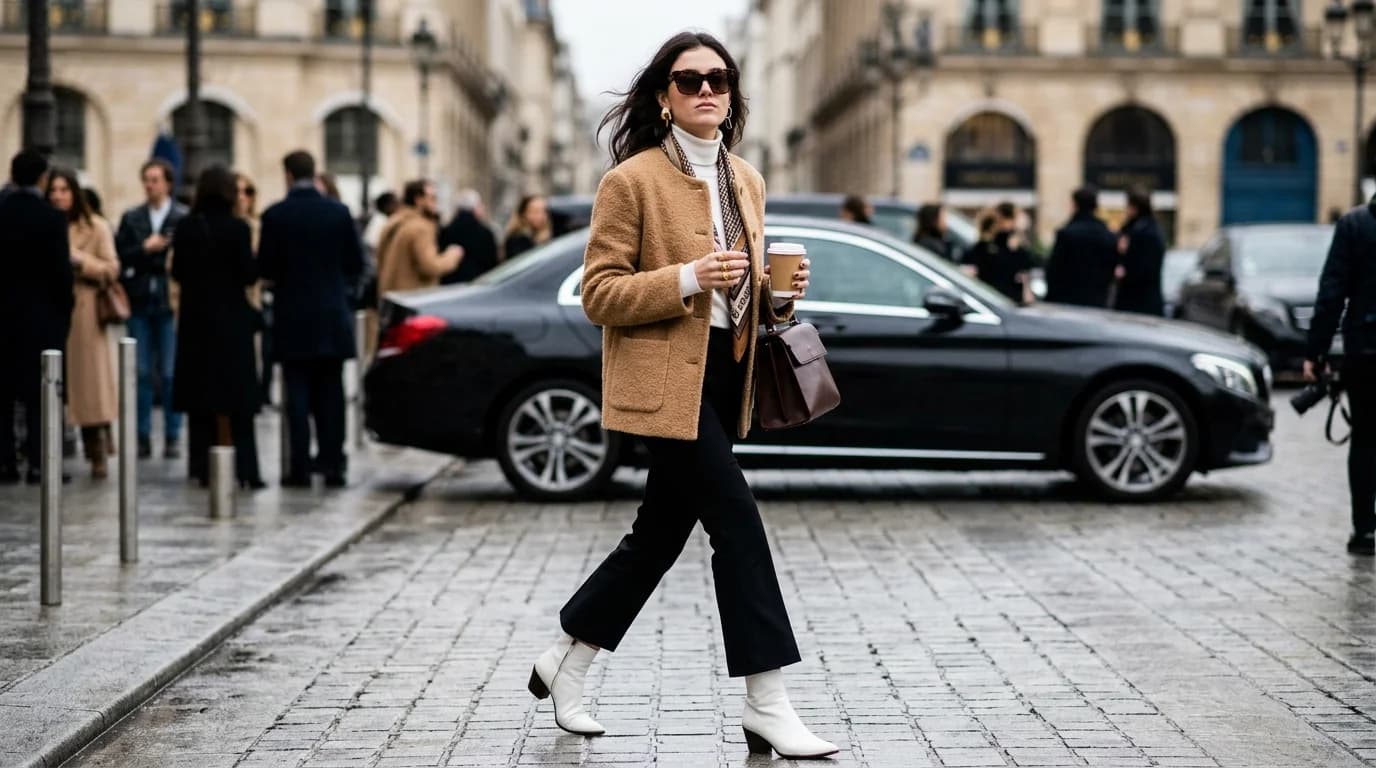
AI video generation for fashion has crossed from novelty to utility. In early 2025, AI-generated fashion clips looked like melting mannequins. By mid-2026, they look like footage from a real shoot, if you know how to direct them.
This guide covers what AI fashion video generation can actually produce today, where it falls short, and which types of fashion content work best with current models. No hype. Just what works now.
Lookbook videos: the strongest use case
Lookbook videos get the most consistent results from AI generation. One garment, one model, controlled camera movement, clean background. The simplicity is the point.
Slow camera orbits around a stationary model are your safest bet. A 180-degree orbit around a model wearing a structured blazer with notched lapel produces clean, usable footage almost every time. Fabric detail reveals work well too — start wide, push in to show texture. Tweed, bouclé, and velvet all read well because their textures are visually distinct even at lower fidelity. Static poses with subtle movement (a slight weight shift, hair in a breeze) are far more reliable than full walking sequences.
What doesn't work yet: quick cuts between multiple garments, since AI video models generate one continuous clip. Garment changes or layering animations (taking off a coat to reveal the outfit underneath) are still beyond reach.
Social content: TikTok, Reels, and Shorts
Short-form fashion video is the fastest-growing use case for AI generation, and it's the most forgiving one. Five to fifteen seconds, vertical frame, high energy. Viewers already expect stylized content on these platforms, so AI artifacts blend in.
Fabric-in-motion clips are the sweet spot. Three to five seconds of a silk charmeuse dress catching the wind, or a pleated skirt swinging with a turn. Short duration hides any drift in generation quality, and fabric motion is inherently watchable.
Garment reveals also perform well — camera starts on a detail like a French seam or a hand-stitched buttonhole, then pulls back to reveal the full garment. Predictable camera path, static subject, reliable output. Style comparison clips (same silhouette in jersey versus crepe) drive engagement because the visual contrast is immediate and AI produces consistent silhouettes across variations.
Avoid dance or complex movement. AI-generated humans still can't handle coordinated full-body motion: arms clip through torsos, fingers merge, feet slide. Multiple models interacting create occlusion problems where the AI loses track of who's wearing what. And never bake text overlays into the generated video. Add text in post. AI-rendered type still warps and drifts.
Runway-style clips
Can AI recreate the fashion show experience? Partially.
A single model walking straight toward camera on a clean runway works when the walk is slow and steady. No turns, no pauses. The AI produces a convincing approach shot. Empty runway shots with dramatic lighting (spotlights, long shadows, reflective floors) are reliable and useful as B-roll.
The turn at the end of the runway breaks everything. The model pausing, pivoting, and walking back requires a complex pose transition while maintaining garment consistency. The garment changes shape, fabric teleports, proportions shift mid-turn. I've yet to see a clean single-clip generation of a runway turn.
E-commerce product videos
AI video is increasingly viable for the kind of short, clean clips that live on product pages and in ads.
360-degree product spins are one of the most reliable outputs. A garment on a mannequin or model with the camera orbiting slowly. The motion is mechanical and predictable, which is exactly what AI handles best. Detail zoom sequences (macro-style pushes into fabric texture, stitching, or hardware) are similarly reliable because the subject is static and the camera path is linear.
For flat-lay-to-on-body transitions, generate each clip separately and edit them together. The flat lay is straightforward; the on-body clip follows the lookbook approach above.
Where it falls short
Being honest about limitations saves you generation credits.
Fabric physics drift. Flowing chiffon in wind looks good for 2-3 seconds, then goes wrong. Heavy fabrics like wool and denim fare better because they move less.
Hands and accessories. Rings, bracelets, anything handheld. Fingers merge, straps float, buckles disappear. Frame the shot to minimize hand visibility.
Identity consistency across clips. This is the big one. The same "model" in clip 1 will look subtly different in clip 2. Skin tone, face shape, hair can all shift. For multi-clip projects, plan for post-production color grading and frame to de-emphasize facial features.
Long takes. Quality degrades after 8-10 seconds in most models. Plan for 3-8 second clips. A 30-second lookbook video is really 4-6 short clips with transitions.
The practical workflow
Script your shot list before you generate anything. Describe each shot the way a director would: subject, camera position, movement, lighting, duration. Then generate individual clips at 3-8 seconds each, using precise fashion vocabulary for the garment and cinematography terms for the camera.
Budget for 3-5 generation attempts per usable clip. Most generations will have something wrong with them. That's normal.
Edit in post. Cut clips together, add music and text overlays, color grade for consistency across clips. Then export for your platform: vertical 9:16 for TikTok and Reels, 16:9 for YouTube and website embeds, square for Instagram feed.
FAQ
How long can AI fashion videos be?
Clean results top out at 3-8 seconds per clip. After 10 seconds, quality drops noticeably. For longer videos, generate multiple short clips and edit them together. A 30-second lookbook video is typically 4-6 individual clips with transitions.
Can AI generate a full runway show?
Not as a continuous sequence. You can generate individual elements (approach walks, atmospheric shots, detail close-ups) and cut them into a convincing sequence. The runway turn doesn't work as a single clip.
What fashion content performs best as AI video on TikTok?
Fabric motion clips (3-5 seconds of silk or pleats moving), garment reveals (detail to full look), and style comparisons (same silhouette, different fabrics). Short, single-subject, high visual contrast. These formats match what already performs well on the platform and happen to be what AI generates most reliably.
Is AI video good enough for e-commerce product pages?
For supporting content, yes. Product spins, detail zooms, and flat-lay-to-on-body transitions all work. For hero product videos that need to carry a page on their own, most brands still shoot real footage and use AI for the supplementary clips around it.
What's the biggest limitation right now?
Identity consistency. The same "model" will look different in each generation, with shifts in face shape, skin tone, and proportions. Multi-clip projects with the same person need either careful framing or post-production work to smooth it over.