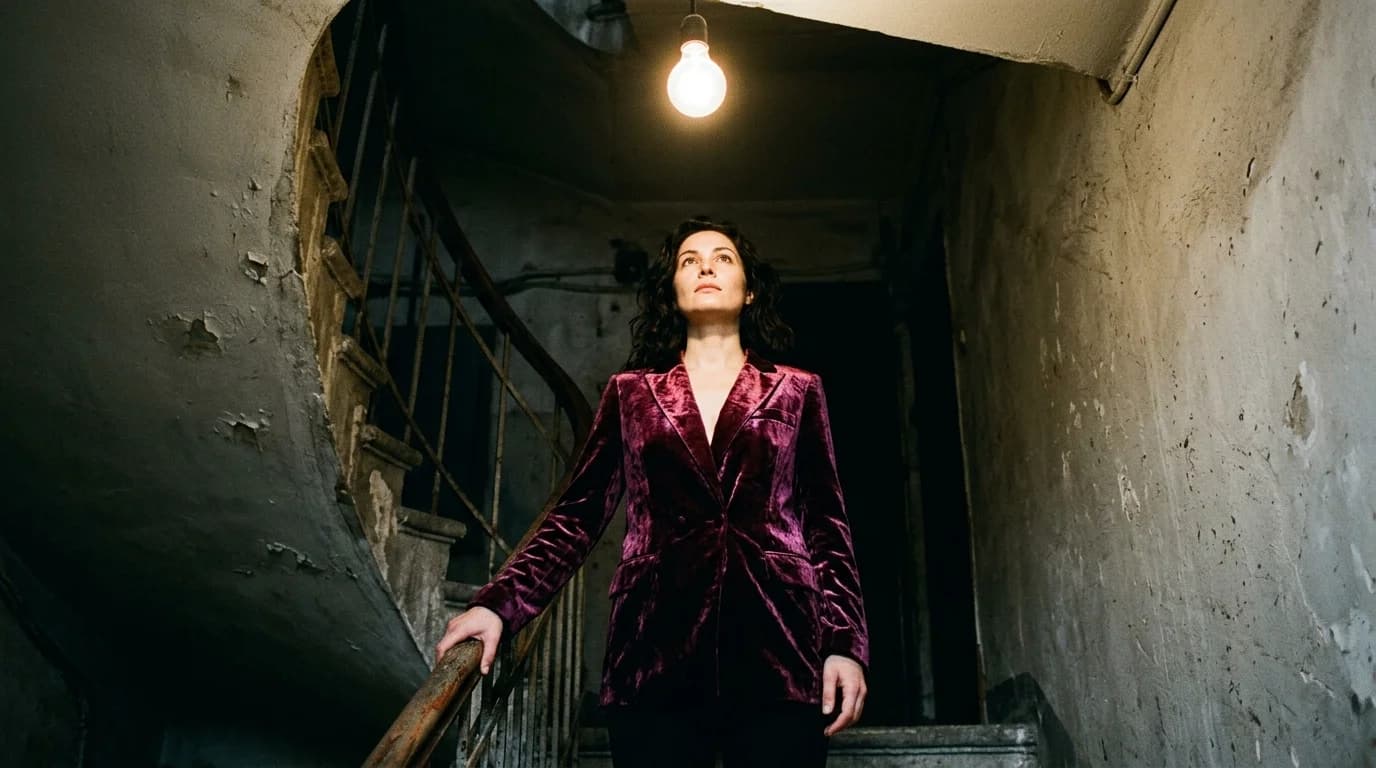
If you know how to light a fashion photograph with AI, you're 80% there for video. Same setups: soft diffused, single key, rim light, color gels. But video adds time. And time breaks things.
A still image needs correct lighting in one frame. Video needs it correct across 90-240 frames. AI video models sometimes drift mid-clip: the key light shifts direction, shadows change depth, color temperature warms or cools without reason. These shifts stay subtle enough that individual frames look fine. Cut two clips together, though, and the mismatch screams.
This guide covers how to hold lighting consistency across AI fashion video clips, and what to adjust when you move from image to video generation.
What carries over from image lighting
Your lighting vocabulary carries straight over. Everything from our fashion photography lighting guide works in video prompts.
"Soft diffused studio lighting" reads identically in video. "Single key light from upper left" produces the same directional shadow. "Rim lighting from behind" still gives you that silhouette edge glow.
Fabric-lighting pairings carry over too. Soft diffused for reflective fabrics like silk charmeuse. Directional for matte textures like wool and tweed. Backlight for sheers like chiffon and organza. Same principles, different medium.
The new constraint: every frame must match the frames around it. A single image either looks right or you regenerate it. Video demands that the light hold for the full duration.
Where video lighting drifts
Color temperature shifts. The most common problem. A clip opens with neutral white studio light, then gradually warms toward amber or cools toward blue. Slow enough that individual frames look fine. Place this clip next to one that stayed neutral, and the mismatch jumps out.
Shadow direction changes. Rare but disruptive. The key light's apparent position shifts mid-clip, so shadows slide without any change in camera or subject. Complex setups with multiple light sources trigger this most often. The model loses track of where each light sits relative to the others.
Intensity fluctuation. Overall brightness pulses slightly. You'll notice this most on dark fabrics where the gap between properly lit and overlit is razor-thin. Lighter fabrics and backgrounds hide it better.
How to keep light steady across clips
Describe your lighting as simply as possible. One source, one sentence. "Soft diffused studio lighting from upper left" gives the AI a single constraint to maintain. "Key light from upper left, fill from lower right, rim light from behind" gives it three sources that must stay in fixed relationship. Simpler setups hold better.
Copy your lighting description verbatim. Same principle as lookbook video production. The lighting string in your prompt must be identical for every clip in the project. Any rewording ("soft light" versus "diffused light" versus "gentle lighting") risks the AI reading them as different setups.
Plan clip length around drift tolerance. Shorter clips hold lighting better because drift needs time to accumulate. A 3-second clip with single key lighting will almost always stay consistent. An 8-second clip with the same setup might wander in the last 2 seconds. Build your storyboard to cut before drift sets in.
Skip color gels for multi-clip projects. Gels look great in stills. In video, the AI can't hold the exact hue across time. Across multiple clips, the variation compounds. A blue gel that reads cerulean in clip 1 and teal in clip 2 will break the sequence.
Fix what remains in post. Even with all this, some clips will drift. Color grading catches what prompts can't. Apply a uniform grade across all clips and manually pull outliers back in line.
Lighting by shot type
Orbit shots: Camera moves, subject stays still. Use a fixed studio light setup. The orbit naturally reveals how light wraps around the garment as the viewing angle changes. Great for fabric texture and silhouette because the light interaction shifts with camera position while the source itself stays locked.
Push-in / detail shots: Camera moves toward the subject. Use even, soft lighting so fabric texture resolves cleanly as magnification increases. Hard light on a push-in amplifies artifacts because the model has to render finer detail at closer range.
Static shots with model movement: Camera holds, model sways, shifts weight, or fabric catches air. Directional lighting works well here. Fabric moving through a key light creates the visual payoff: silk charmeuse flashing highlights, wool rolling in and out of shadow. This shot type gets more out of lighting than any other.
Walking shots: Model moves through space. Use even, wrap-around light to keep shadows stable. Directional light on a walking model means shadow angles shift with each step, and the AI often can't track that consistency.
The edit-friendly light setup
If you're producing a multi-clip project and consistency matters more than style, use this for every clip:
"Soft diffused studio lighting, neutral color temperature, clean [gray/white] background"
Not exciting. But it holds across 10+ clips with minimal color grading in post. You get your drama from garment choice, fabric contrast, model presentation. The lighting just stays out of the way.
Once you learn how your preferred AI video model handles light, push toward more expressive setups. Start flat first. Nail consistency. Then open it up.
FAQ
How does lighting in AI video differ from AI images?
Same vocabulary, same setups, but video needs consistency across many frames. AI video sometimes drifts light direction, color temperature, or intensity mid-clip. Keep setups simple, use identical lighting descriptions across clips, and fix drift in color grading.
What lighting setup is most reliable for AI fashion video?
Soft diffused studio light with a single key direction. One source means one thing to keep stable. Add complexity only after you trust your model's consistency on simpler setups.
How do I fix lighting inconsistencies between AI video clips?
Color grading in post. Apply a uniform grade across all clips and adjust outliers by hand. Most editing software (DaVinci Resolve, Premiere, CapCut Pro) can match color between clips.
Should I use dramatic lighting for AI fashion video?
For single-clip social content, yes. For multi-clip projects where clips need to match, start with flat, neutral lighting and build visual interest through garment and fabric choices instead. Dramatic setups drift faster and compound inconsistencies across cuts.