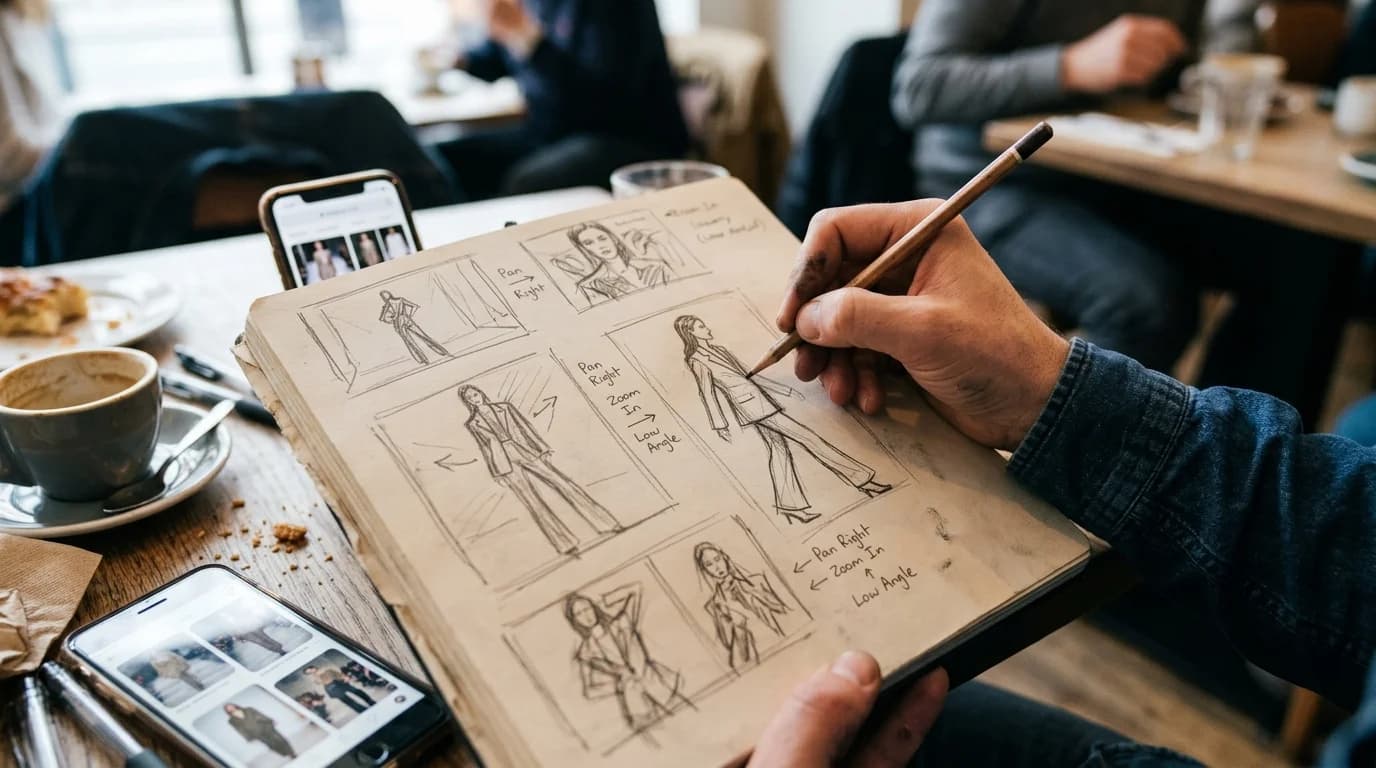
Most of the money wasted on AI video generation comes from skipping the storyboard. People jump straight into prompting, burn 15 attempts on a shot they never defined properly, and end up with clips that refuse to cut together.
Treat AI fashion video like a real production. Script the shots. Plan the camera. Know what each clip needs to do before you generate a single frame. The AI is your camera operator, and camera operators need direction.
Here is the method we use for planning AI fashion video, built around what current models actually handle well and where they fall apart.
AI video needs more planning than live shoots
With a real crew you can improvise. The DP spots something interesting, the model does something unexpected, you keep rolling. AI generation gives you none of that. Every clip is a discrete prompt, and the model renders exactly what you describe.
So every shot has to be locked before you spend credits. Duration, camera position, movement, subject, action, lighting. Leave any of those vague and the output will match: vague.
There is a second reason planning matters here. AI clips have no inherent continuity. Each generation is independent. Lighting shifts between clips. The model's face drifts. Fabric color wanders. Your storyboard is where you catch those problems early, by matching lighting descriptions across shots, picking angles that minimize face visibility, and keeping garment descriptions identical word for word.
The shot card method
Skip traditional storyboard sketches. For AI video, text-based shot cards work better because the description becomes your prompt.
Each shot gets a card with six fields.
Shot number and purpose. What the clip accomplishes in the sequence. "Shot 3: Detail reveal of fabric texture." This part stays off the prompt. It is for your own editorial logic.
Subject. Describe the garment exactly as you would for AI image generation. Silhouette, fabric, construction, color. "A-line midi dress in ivory organza with knife pleats and bateau neckline."
Model direction. What the person is doing. Keep it boring. "Standing, slight weight shift to left hip." Or "Walking slowly toward camera." Complex movement breaks. Simple movement works. You will learn this the expensive way if you ignore it.
Camera. Position and movement. "Eye level, slow push in from medium shot to close-up over 5 seconds." Be specific about the type: orbit, push in, pull back, static, tracking. AI video models handle predictable, mechanical camera paths best.
Lighting. Match this across every clip in the sequence. "Soft diffused studio light, single key light from camera left." If your lighting description drifts between cards, your color will drift between clips.
Duration. 3 to 8 seconds per clip. Hard constraint. Most AI video models degrade past 8 seconds, so plan your edit points around that ceiling.
Worked example: lookbook video
Say you are creating a 30-second lookbook video for a single garment: a column midi dress in black crepe with dolman sleeves.
Shot 1 (5s), establishing wide. Full-body, model standing centered, camera static, soft studio lighting. Gives the viewer the complete silhouette up front.
Shot 2 (4s), slow orbit. Same model, same pose. Camera orbits 90 degrees from front to side. Shows how the dolman sleeve drapes and how the crepe falls in profile. Lighting description identical to Shot 1.
Shot 3 (3s), fabric detail. Camera pushes in from medium to close-up on the sleeve. Model holds still. This is where you sell the crepe texture and the dolman construction.
Shot 4 (5s), movement. Model takes two slow steps forward while the camera tracks back at matching speed. The crepe picks up subtle motion, the sleeves shift. Keep the walk slow. Fast movement breaks every time.
Shot 5 (4s), back view. Model turned away. Static shot or very slow orbit. You are showing the back of the dress, the sleeve from behind, how fabric falls from the shoulder.
Shot 6 (3s), final detail. Close-up on one specific element: the hem, the neckline, the sleeve taper. End on something precise rather than a generic wide.
That is 24 seconds of generated footage. With transitions, roughly 30 seconds of edited video. Six clips at 3-5 generation attempts each means 18-30 total generations, so budget accordingly.
Storyboarding for social content
Social clips are shorter and simpler. A TikTok or Reel typically needs just 2-3 shots.
The hook (2-3s) is something visually arresting in the first frame. A fabric detail, a dramatic silhouette, a color that pops. This shot stops the scroll or it fails.
The reveal (3-5s) pulls back or cuts to the full garment. Now the viewer sees the whole piece in context.
The closer (2-3s) is optional. A second angle, a movement clip, or back to the detail. Keep it tight. If the reveal is strong enough on its own, skip this.
Three clips, 7-10 seconds total. Generate it in an hour. Your storyboard for social can be three lines on a notepad. The point is knowing what each clip shows before you start burning credits.
What to avoid
AI-generated transitions. Do not try to prompt a zoom-to-cut or a match cut. Generate clean individual clips and handle transitions in post. The model has no concept of editorial pacing.
Continuous multi-shot sequences. "The model walks in, turns, then the camera follows her" is three shots, not one. Break it apart.
Multi-model shots. The moment you add a second person, the AI confuses who is wearing what. Stick to one model per clip. If you need multiple models in the final edit, alternate between separate single-model clips.
Shots built around pivots. If your storyboard has a model stopping mid-walk and reversing direction, plan that as two clips with a hard cut. The turn is the hardest thing for AI video right now. It almost never generates cleanly, and you will waste credits trying.
From storyboard to prompt
Your shot card becomes your prompt with minor reformatting. Take the subject, model direction, camera, and lighting fields and combine them into one sentence.
Shot card:
- Subject: Column midi dress in black crepe with dolman sleeves
- Model: Standing, slight weight shift
- Camera: Slow 90-degree orbit, eye level
- Lighting: Soft diffused studio, key light camera left
- Duration: 4 seconds
Prompt: "Model wearing column midi dress in black crepe with dolman sleeves, standing with slight weight shift, slow 90-degree camera orbit at eye level, soft diffused studio lighting with key light from left, 4 seconds"
Every word in that prompt maps to a decision you already made on the shot card. No guessing at the prompt stage. That is the whole point of storyboarding for AI.
FAQ
How detailed should an AI video storyboard be?
Six fields per shot: purpose, subject, model direction, camera, lighting, duration. The subject description should be as specific as what you would use for image generation, with proper fashion vocabulary. Camera and lighting need to be detailed enough to paste directly into a prompt.
How many shots do I need for a 30-second video?
Four to six clips at 3-8 seconds each. Transitions eat 1-2 seconds between clips, so budget for that. A typical 30-second lookbook is five shots with brief fades or hard cuts.
Should I storyboard for social content?
Yes, but keep it light. TikTok and Reels need 2-3 shots: hook, reveal, and maybe a closer. Three lines of description is plenty. You are just locking down what each clip shows so you do not waste generation credits figuring it out live.
What is the biggest storyboarding mistake for AI video?
Planning shots that need continuous complex movement. Walking sequences with turns, outfit changes mid-shot, crowd scenes. Each of those has to be broken into separate simple clips. If a shot would be one take with a real camera but requires multiple capabilities from the AI, split it. Always split it.