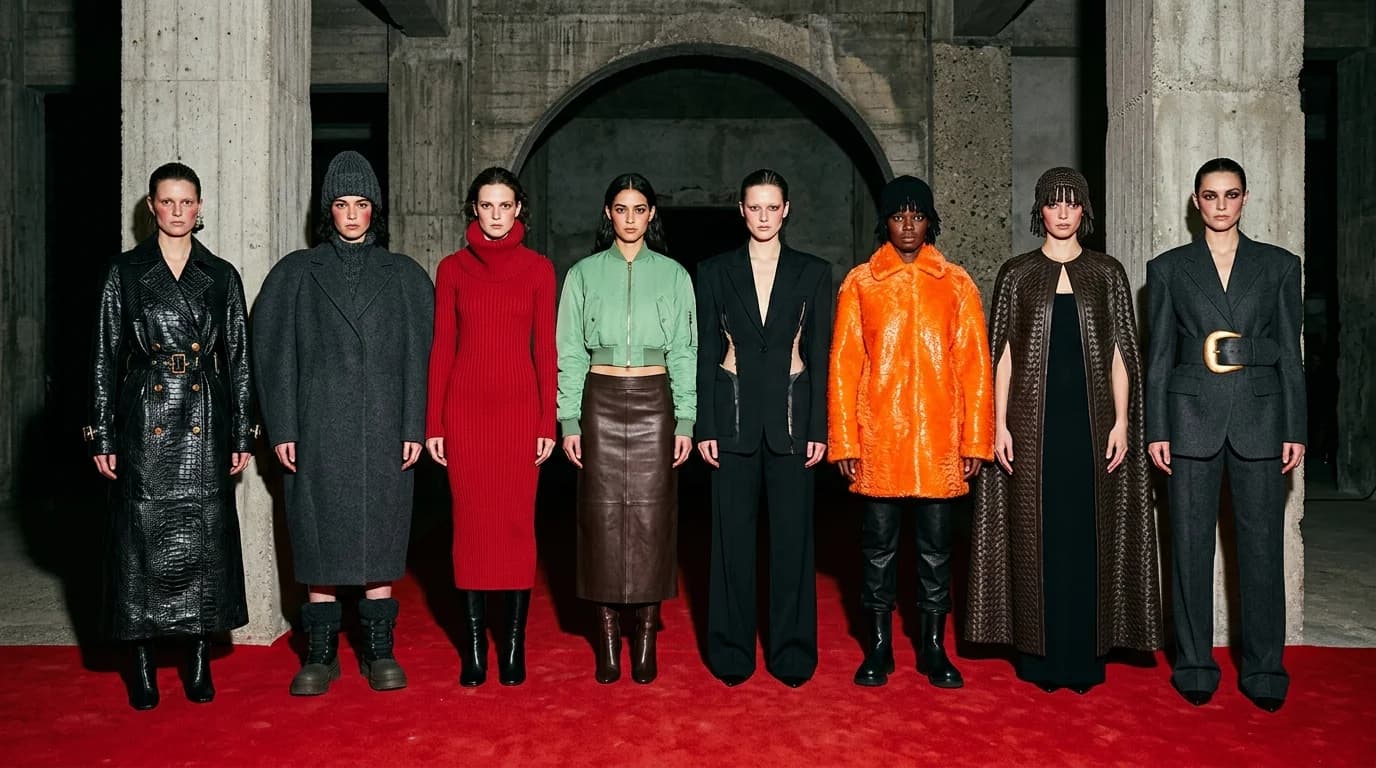
One good AI image takes five minutes. Fifteen that look like they came from the same designer? That takes a system. The AI treats each image as a blank slate, so without rules, your "collection" ends up looking like a group show at a fashion school.
The difference between a set of images and a collection comes down to repetition. The same silhouette language. The same fabric palette. The same color story. The same lighting. Hold those four elements across every look and the viewer sees one creative mind, not fifteen random outputs.
This builds on lookbook generation. A lookbook applies consistent photography to different garments. A collection goes further: the garments themselves share a design language.
Define the design language first
Before you generate anything, write your collection's rules down. These constraints connect every look.
Silhouette range. Pick 2-3 silhouettes and stick to them. A collection might pair column, cocoon, and A-line — three shapes built around volume and ease. Or mermaid, column, and sheath — three shapes built around the body. The silhouettes need a common proportional logic.
Fabric palette. Choose 3-5 fabrics. "Silk charmeuse, crepe, wool, cashmere." They need a family resemblance: all fluid, all structured, or a deliberate tension between two groups. A collection that throws in taffeta, jersey, denim, organza, and velvet has no material point of view.
Color palette. 3-5 colors from the fashion color vocabulary. "Midnight, champagne, charcoal, ivory." Every look pulls from this palette. No exceptions.
Construction vocabulary. What construction techniques define this collection? Every look references 1-2 shared techniques. "Bias cut and French seam" gives the collection a fluid, refined character. "Visible topstitching and raw edges" gives it a deconstructed one.
Photography constants. Same rules as lookbook generation: lighting, framing, model presentation, background. Word-for-word identical across every prompt.
Write all of this in a document before you touch the generator. This document is your collection brief. Every prompt references it.
The generation workflow
Phase 1: anchor looks (3-5 images)
Generate 3-5 "anchor" looks that represent the collection's core. They should span your silhouette range and fabric palette. Three silhouettes means three anchors, one each.
Spend extra time here. Generate 8-10 variations per look and select carefully. These anchors set the bar for everything that follows.
Phase 2: fill the range (5-10 images)
Once the anchors work, fill in the rest. Each new look combines elements from your defined palette: one silhouette, one fabric, one or two colors, the construction vocabulary. Photography constants stay identical.
Use image-to-image with your anchor images as references. The anchor's framing, model scale, and compositional balance carry forward into every subsequent generation.
Phase 3: details and variations (3-5 images)
Generate close-up detail shots of construction elements, fabric textures, and specific styling details. These give the collection depth by putting the craft front and center.
Also generate colorway variations: the same garment in different colors from the palette. A coat in midnight and charcoal. A dress in champagne and ivory. Variations like these show range without breaking rules.
What breaks collection consistency
Mixed prompt styles. If you describe one garment as "elegant flowing evening gown" and another as "bias-cut midi dress in crepe," the images will look like they come from two different briefs. Use the same descriptive register for every look: precise fashion vocabulary, same prompt structure, every time.
Palette drift. You add a garment in "forest green" when your palette is midnight, champagne, charcoal, ivory. The collection breaks. Stick to your colors even when an off-palette generation looks great on its own. A look that works alone but clashes with the set does not belong.
Too many silhouettes. A real collection supports 3-4 silhouette families. For AI, aim tighter: 2-3. Each additional silhouette erodes visual cohesion, and the AI's natural variation between generations makes the problem worse.
Inconsistent fabric behavior. If you prompt silk charmeuse in Look 1 and jersey in Look 2, both described vaguely as "silk" and "stretchy fabric," the AI might render them too similar or too different. Use specific fabric names with behavior keywords so the intended contrast or similarity actually comes through.
The collection grid test
After all looks are generated, arrange them in a grid. This is the quality check that matters most.
Do the looks read as a family? Do the colors belong together? Do the silhouettes share proportional logic? Does the lighting match?
If one look reads as an outlier (wrong color temperature, different silhouette logic, odd fabric character), regenerate it. Kill your darlings. A beautiful image that fractures the set has to go.
The grid is how buyers, press, and customers encounter the collection. It needs to read as one point of view at a glance.
FAQ
How many looks should an AI-generated collection have?
10-15 for a full collection. 5-8 for a capsule. Fewer than 5 doesn't read as a collection. More than 15 and consistency gets hard to maintain. Start with 3-5 anchor looks, then fill.
How do I keep garments consistent across an AI collection?
Define your design language before you generate: 2-3 silhouettes, 3-5 fabrics, 3-5 colors, shared construction vocabulary. Copy-paste these constraints into every prompt. Use image-to-image with anchor images as references for proportional consistency.
What makes an AI collection look incoherent?
Too many silhouettes, palette drift, mixed prompt styles (vague descriptions next to precise ones), and inconsistent photography. The most common mistake: treating each look as a standalone image rather than part of a family.
Should I use text-to-image or image-to-image for collections?
Text-to-image for the initial anchor looks, where you want exploration. Image-to-image for everything after, where you want consistency. The anchors define the visual language; image-to-image with anchors as references carries that language through the rest of the collection.