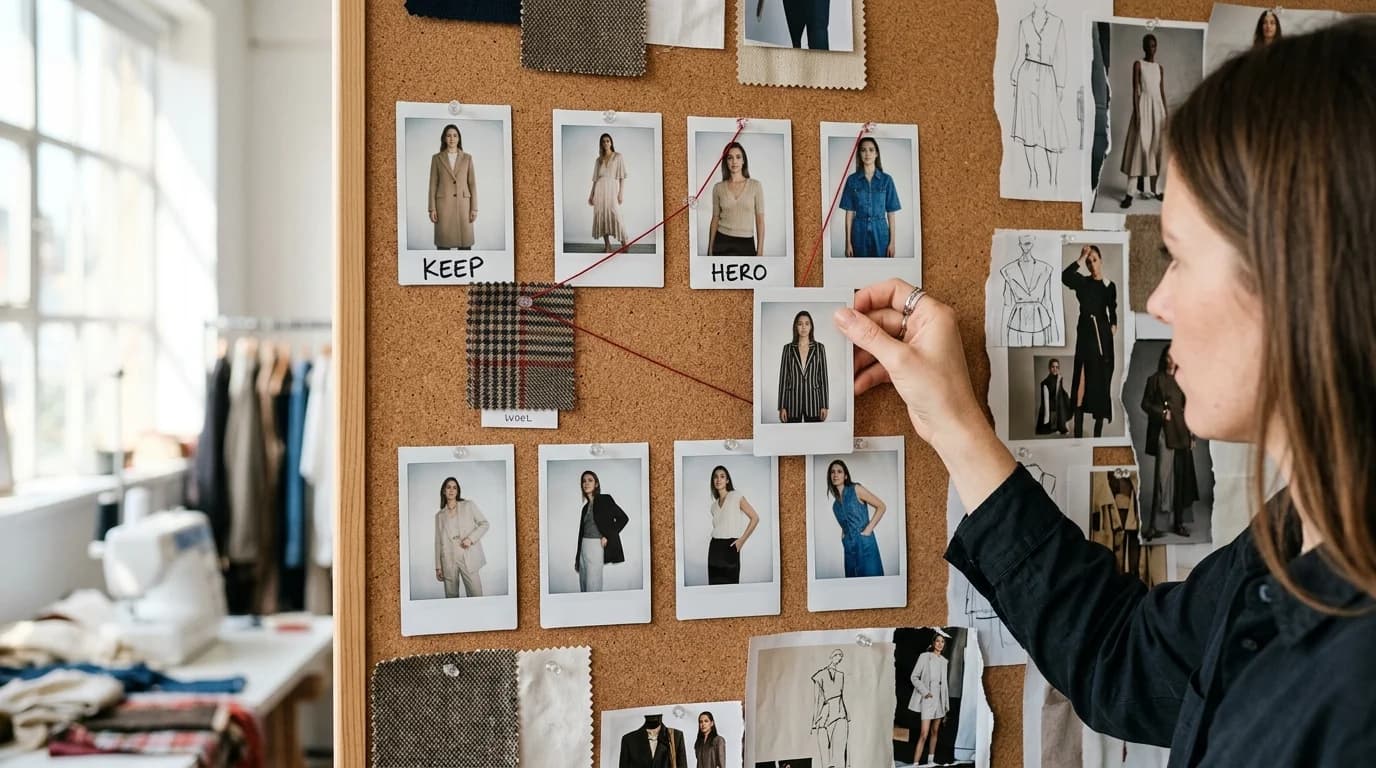
A fashion lookbook is a series. Every shot belongs to the same visual world: same lighting, same mood, same level of craft. The garments change. Everything else stays locked.
Most people can generate a good individual image. Put ten of them side by side and the illusion collapses. Lighting shifts. Skin tone drifts. Composition wanders between shots. It reads as AI, even when each frame looks fine on its own.
The fix is a strict consistency workflow. Here's how it works, start to finish. We assume you already know how to describe garments to AI and understand text-to-image vs image-to-image.
Step 1: define your visual language
Before you generate anything, write down the constants. These stay identical across every image in the lookbook.
Lighting: Pick one setup and describe it precisely. "Soft diffused studio light, single key light from upper left, minimal shadows, clean white background" will produce consistent results across generations. "Good lighting" won't.
Framing: Full-body centered, three-quarter, head-to-knee? Choose one. If you want variation (some full-body, some close-up), plan exactly which shots get which framing before you start.
Model presentation: Lock down pose, expression, and hair. "Model standing, neutral expression, hair pulled back, hands at sides" produces far more cohesive results than letting the AI improvise a different pose each time.
Photography style: Editorial, commercial, and catalog each carry a different visual language. "Clean commercial photography with flat lighting and white background" occupies a completely different world from "editorial fashion photography with dramatic side lighting and dark background."
Write these constants once. Copy them into every prompt.
Step 2: create your anchor image
The first image deserves extra care. It sets the visual standard for every shot that follows.
Write the full prompt: garment description (using precise fashion vocabulary) plus all your visual constants. Generate 5-10 variations. Pick the one that best represents the lookbook's identity.
Your anchor does double duty. It sets the quality benchmark for the series, and if you're using image-to-image, it becomes the reference that keeps subsequent generations on track.
Step 3: build the collection
For each subsequent look, keep the visual constants word-for-word identical. Change only the garment description.
Prompt structure for every image:
"[Garment description — silhouette, fabric, construction, color] + [Visual constants — lighting, framing, model, photography style]"
Example for a 5-look capsule collection:
Look 1: "A-line midi dress in midnight silk charmeuse with cowl neckline, soft diffused studio light, full body centered, model standing neutral, clean white background"
Look 2: "Column trousers in charcoal wool with high waist and pressed crease, soft diffused studio light, full body centered, model standing neutral, clean white background"
Look 3: "Cocoon coat in camel cashmere with dropped shoulder, soft diffused studio light, full body centered, model standing neutral, clean white background"
The visual constants repeat verbatim. Only the garment changes. Nothing else you do will matter more for lookbook consistency than this one habit.
Step 4: quality control
Generate all your looks, then lay them out side by side. Problems that hide in isolation become obvious in a grid.
Lighting: Do all images share the same key light direction and shadow density? If one image reads warmer or cooler than the rest, regenerate it.
Skin tone: AI sometimes shifts skin tone between generations. Compare across all images. If one drifts, regenerate it with image-to-image using a correct image as reference.
Backgrounds: "White background" can produce subtly different whites. If that bothers you, normalize backgrounds with a final color grade in post.
Model consistency: The hardest problem. The AI won't produce the exact same person across generations. You have two options: accept slight variation (many real lookbooks use multiple models anyway) or use image-to-image at high strength to lock the model's appearance from your anchor.
Step 5: post-production
AI-generated images need the same post-production as real photography.
Apply one color grade across every image for tonal consistency. Crop to identical dimensions and place the model at the same position in each frame; slight framing differences become obvious in a grid. Clean up artifacts (extra fingers, fabric glitches, background noise) the same way you'd retouch a real photo.
Common lookbook mistakes
Mixed descriptive registers. Calling one garment "elegant flowing gown" and another "bias-cut midi dress in crepe" produces images that feel like different photographers shot them. Use the same level of specificity for every garment.
Skipping photography direction. The garment description fills half the prompt. Lighting, camera angle, background, and mood fill the other half. Drop the photography direction and every image looks different, regardless of how consistent the garment descriptions are.
Over-generating per look. Tempting to generate 20 options per look and cherry-pick. But that optimizes each image individually rather than as part of a series. Generate 5-8 per look, pick fast, and favor series cohesion over any single hero shot.
Ignoring the grid. Lookbooks live in grids: websites, PDFs, Instagram. Generate with that layout in mind. Alternate between dark garments on light backgrounds and light garments. Vary silhouette width across the sequence so the grid has visual rhythm rather than a wall of identical shapes.
FAQ
How many images should an AI-generated lookbook have?
8-15 for a collection lookbook, 5-8 for a capsule. Fewer than 5 doesn't feel like a collection. Past 15, consistency gets progressively harder to hold.
How do I keep the model consistent across lookbook images?
You can't, perfectly. Each generation runs independently. Two approaches: accept slight variation (many real lookbooks use multiple models) or use image-to-image at high strength to lock the model's appearance from your anchor image.
Should I use text-to-image or image-to-image for lookbooks?
Text-to-image for the anchor and initial exploration. Image-to-image for subsequent looks, with the anchor as reference. The anchor gives you range; image-to-image gives you control.
How long does it take to generate a full lookbook?
A 10-look lookbook takes 2-4 hours including generation, selection, and basic post-production. Budget 5-8 generations per look, plus time for layout review and color grading.