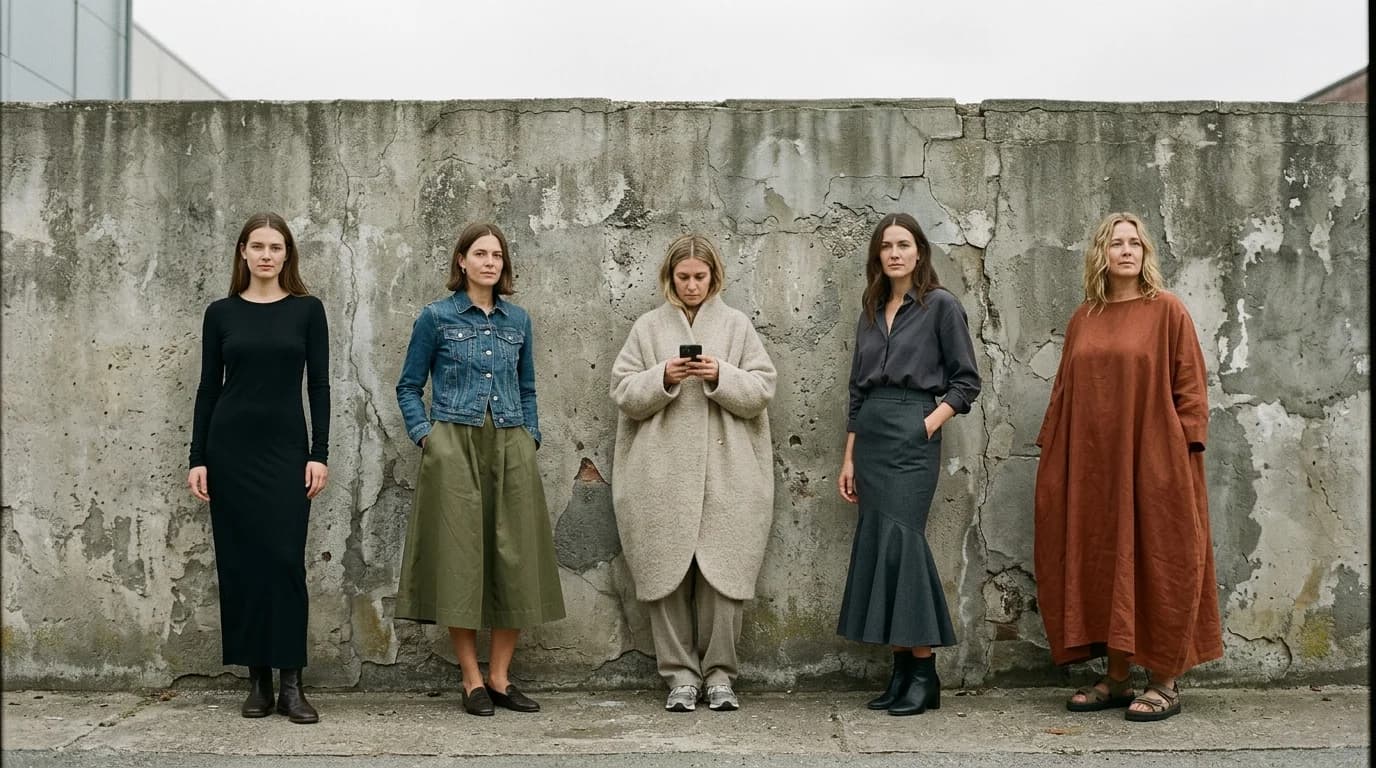
Silhouette can't be fixed in post. Wrong shape? No color correction or cropping turns a column into a cocoon. The shape has to land in the generation itself, so your prompt needs to communicate it without ambiguity.
We covered silhouette basics in how to describe a garment to AI. Here we go further: precise silhouette control, holding that silhouette across a lookbook, and what to do when the model reads your shape description differently than you meant it.
Why silhouette gives you the least control
Color, the model handles well. Fabric, you can guide with behavior keywords. Lighting, you can specify precisely. Silhouette asks the model to reconstruct three-dimensional garment geometry from text. That reconstruction stays approximate.
"A-line" means fitted at the waist, wider at the hem. But how much wider? How far from the body? How fitted? The model decides these proportional details on its own, and it decides differently each time. Two prompts with "A-line midi dress" produce two different flare angles, two different hem widths, two different waist definitions.
Fine for exploration. Less fine when you need consistency: a lookbook where four garments share the same silhouette language, or a presentation where a client already approved a specific shape.
Precision techniques
Add proportional qualifiers
"A-line" names a shape category. Proportional qualifiers narrow it. "Narrow A-line" flares less than the default. "Wide A-line" flares more. "Subtle A-line" barely widens at all. These modifiers land.
Works across silhouettes. "Cocoon" gives you a rounded, voluminous shape, but "slim cocoon" pulls tighter while "exaggerated cocoon" balloons further from the body. "Column" stays narrow, but "relaxed column" carries more ease and "strict column" hugs closer.
Specify how the garment relates to the body
"Body-skimming" tells the model the garment follows contours without gripping. "Body-conforming" tells it the garment fits tight. "Stands away from the body" tells it there's volume and air between fabric and skin.
A bias-cut dress skims the body. A jersey bodycon dress conforms to it. A cocoon coat stands away from it. State this explicitly. Otherwise the model defaults to whatever interpretation it sees most often in its training data.
Use reference points
"Fitted through the bust, released at the waist, widening to a full hem at mid-calf" describes an empire-waist dress through three reference points (bust, waist, hem) instead of a single silhouette name. Each point constrains the shape independently, so the model has less room to wander.
"Shoulder-width matches hip-width, no waist definition" describes a column. "Narrow at the shoulder, widest at the hip, no flare below the hip" captures a pear-shaped garment that no single silhouette name covers.
Control length precisely
Length changes how a silhouette reads. A mermaid at knee-length looks nothing like a mermaid at floor-length. "Midi" helps but stays vague. "Hem at mid-calf" or "hem hits 3 inches below the knee" gives you actual precision.
Length terms the model understands: mini (above the knee), knee-length, below-the-knee, midi (mid-calf), maxi (ankle), floor-length, train (pooling on the floor).
Holding silhouette across a series
Say you generate a lookbook where three looks share the same A-line silhouette in different fabrics and colors. Each generation drifts. The model re-interprets the shape fresh every time.
Copy-paste the silhouette block. Use the exact same silhouette description, word for word, across all prompts. Don't write "A-line" in one and "flared from the waist" in another. Same multi-point description, every time.
Use image-to-image with silhouette lock. Generate one image with the right silhouette. Feed it as a reference for subsequent generations at 60-80% strength. The model preserves the shape from the reference while swapping fabric and color per your new prompt.
Add negative descriptions. "A-line midi dress, not fitted below the waist, not pencil, not column." Negatives work because they cut off the model's most common misreads. If you write "A-line" and keep getting something closer to a column, "not column, not straight" pushes the output toward the shape you actually want.
Silhouette + fabric interactions
Fabric and silhouette are tangled. Cut the same pattern in two different fabrics, get two different shapes on the body.
An A-line in silk charmeuse clings more and flares less than an A-line in taffeta. Charmeuse is too fluid to hold the flared shape on its own. Taffeta's stiffness holds the flare wide.
A cocoon in organza holds its rounded shape through crispness. That same cocoon in jersey collapses into something closer to an oversized column.
Pick a fabric that supports the shape you want. Dramatic flare needs a crisp fabric. Body-skimming drape needs a fluid one. The model knows silk charmeuse doesn't hold a structured A-line, so if you fight that relationship, the result looks wrong.
Troubleshooting common silhouette problems
You asked for A-line and got a column. Add proportional qualifiers: "A-line with visible flare from waist to hem, hem noticeably wider than hip." Or add a negative: "not straight, not column, distinct widening toward hem."
Your cocoon looks just oversized. A cocoon tapers at both ends: shoulders and hem. Add: "tapered at hem, rounded through the body, narrower at shoulder than at bust." Oversized garments don't taper, and the model treats those as different shapes.
Mermaid flare starts in the wrong place. Specify the flare point: "fitted through the hips and thighs, flares at the knee" or "flares at mid-calf." The flare point makes or breaks a mermaid.
Empire waist sits too high or too low. "Seam line just below the bust, approximately 2 inches below the underarm." Anatomical specificity about where the structural break falls gets you closer every time.
FAQ
Why does the AI keep generating the wrong silhouette?
Silhouette names are broad. "A-line" alone spans a huge range of flare angles. Proportional qualifiers (narrow, wide, subtle, exaggerated), body-relationship terms (body-skimming, stands away), and reference points (fitted at bust, released at waist, widening to hem) all help pin it down.
How do I keep the same silhouette across multiple AI images?
Copy-paste the silhouette description verbatim across prompts. For tighter control, use image-to-image with your first successful generation as a reference at 60-80% strength. Negative descriptions ("not column, not straight") cut off drift.
Does fabric affect silhouette in AI generation?
Very much so. Fluid fabrics (silk charmeuse, jersey) cling and drape. Crisp fabrics (taffeta, organza) hold structure. The model knows this. A structured silhouette paired with a fluid fabric confuses it. Match your fabric to your intended shape.
What's the most reliable silhouette for AI fashion generation?
A-line and column. They're geometrically simple, so the model nails them more often. Cocoon and mermaid need tighter prompts because they depend on specific proportional relationships (taper points, flare points) that the model reads differently each time.