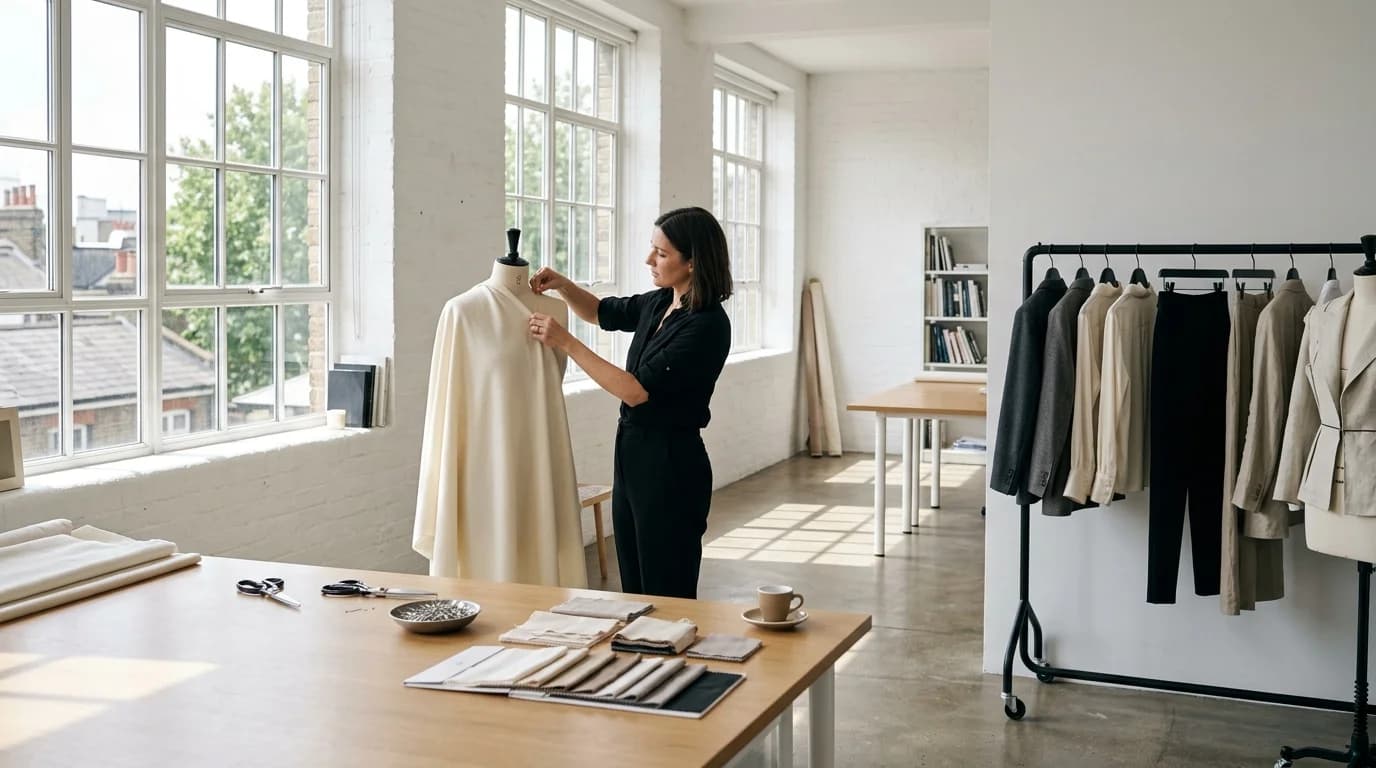
Behind-the-scenes content performs well on social media because it shows the process, not just the product. Fabric on a cutting table. A garment pinned to a dress form. A rack of pieces before the shoot. These images and clips humanize a brand and build the narrative that the garments were made, not just appeared.
For emerging designers, BTS content is often real — they actually work in studios, cut fabric, and pin garments. But when you need more content than your daily workflow produces, or when you want polished BTS material for marketing, AI can fill the gap.
This guide covers how to generate behind-the-scenes fashion content with AI video and image generation that looks authentic rather than manufactured.
The BTS content types
Studio atmosphere (images and video)
The design studio itself. Fabric bolts on shelves. A cutting table with shears and chalk. Thread spools, pin cushions, dress forms. Natural window light. These images communicate craft without showing any specific garment.
AI generates these well because they're static scenes without human figures. No hands to botch, no faces to maintain. Just objects in a space under consistent lighting.
Prompt approach: "Fashion design studio, fabric bolts on wooden shelving, cutting table with shears and tailor's chalk, dress form in background, soft natural window light from the left, warm tones, overhead view of workspace"
For video: add "slow camera pan across the workspace, 5 seconds" and you get a clip that works as a social media opener or B-roll transition.
Work in progress clips
A garment being assembled. Fabric draped over a form. Pins in a seam. A half-finished tailored jacket showing the internal canvas. These connect the finished product to the labor behind it.
Harder to generate because they often involve hands. The workaround: frame to show the garment on a form or table, without hands. "Half-finished jacket pinned to dress form, visible basting stitches, internal canvas showing at the lapel" gives you the work-in-progress feel without hand artifacts.
Fabric selection moments
Close-ups of fabric swatches on a table. Bolts of silk charmeuse and wool unrolled next to each other. Color chips and swatches arranged as a mood board. These communicate the material decisions behind the collection.
The AI handles these well. They're still-life compositions. No figures, no movement, no complex spatial relationships. Just objects under good light.
Pre-show / pre-shoot atmosphere
A clothing rack with garments under plastic. A hair and makeup station (without people). Shoes lined up on the floor. An empty runway or studio ready for a shoot. These build anticipation and are standard BTS content across the fashion industry.
Generate them as simple atmospheric scenes. The absence of people is actually authentic for pre-show content. The space is set up and waiting. The emptiness itself is the content.
Authenticity considerations
BTS content works because it feels real. AI-generated BTS that looks too polished defeats the purpose. A few adjustments:
Imperfect composition. Real BTS photos are often shot by someone on their phone between tasks. Slightly off-center, slightly casual. Add "casual composition, not perfectly centered" or "as seen from a work table perspective" to your prompts.
Warm, natural lighting. Studio BTS is usually lit by whatever's in the room: windows, overhead fluorescents, a desk lamp. "Natural window light, not studio lighting" or "mixed ambient interior lighting" produces a more authentic feel than "soft diffused studio lighting."
Visual clutter. Real workspaces have stuff everywhere. Pins, thread, fabric scraps, coffee cups. "Organized creative clutter on the work table" adds the lived-in quality that separates a real studio from a set.
No faces. AI-generated faces in BTS content look wrong because BTS photos typically feature real people that the audience recognizes or connects with. Use AI for the environment, the objects, the garments in progress. Use real photos (even phone snapshots) for the people.
Mixing real and AI content
The best BTS strategy for emerging designers mixes real and generated content. Real photos of your actual studio, your hands working, your team. AI-generated supplementary content to fill the volume gap.
The mix works because real content establishes authenticity and AI content expands the library. Nobody examines each BTS post in isolation. They see a stream that collectively communicates "this designer makes real things in a real studio."
Where to use real: any content showing people, especially hands working with fabric or tools. The human element should be human.
Where to use AI: atmospheric shots, fabric arrangements, empty studio setups, garment-on-form process images. The environmental content can be generated without losing authenticity.
FAQ
Can AI-generated BTS content look authentic?
Yes, for environmental and atmospheric content: studio shots, fabric arrangements, garments on forms, workspace details. It struggles with people, especially hands working with materials. Mix AI environments with real photos of people for the most authentic result.
What BTS content performs best on social media?
Process content: garments being made, fabric being selected, studios being prepared. Audiences respond to seeing the work behind the product. Short clips (3-5 seconds) of studio atmosphere and fabric close-ups do well on TikTok and Reels.
Should I tell my audience that BTS content is AI-generated?
For studio atmosphere and fabric arrangements, transparency isn't usually expected since this is supplementary marketing content. For anything that implies a specific person or event that didn't happen, honesty matters. Safest approach: AI for the generic environment, real content for the personal moments.
How do I make AI BTS content feel less polished?
Imperfect composition ("casual, not centered"), natural or mixed lighting (not studio-perfect), and visual clutter ("organized creative mess on the work table"). Real BTS photos are casual and slightly messy. AI defaults to clean and composed unless you push it otherwise.