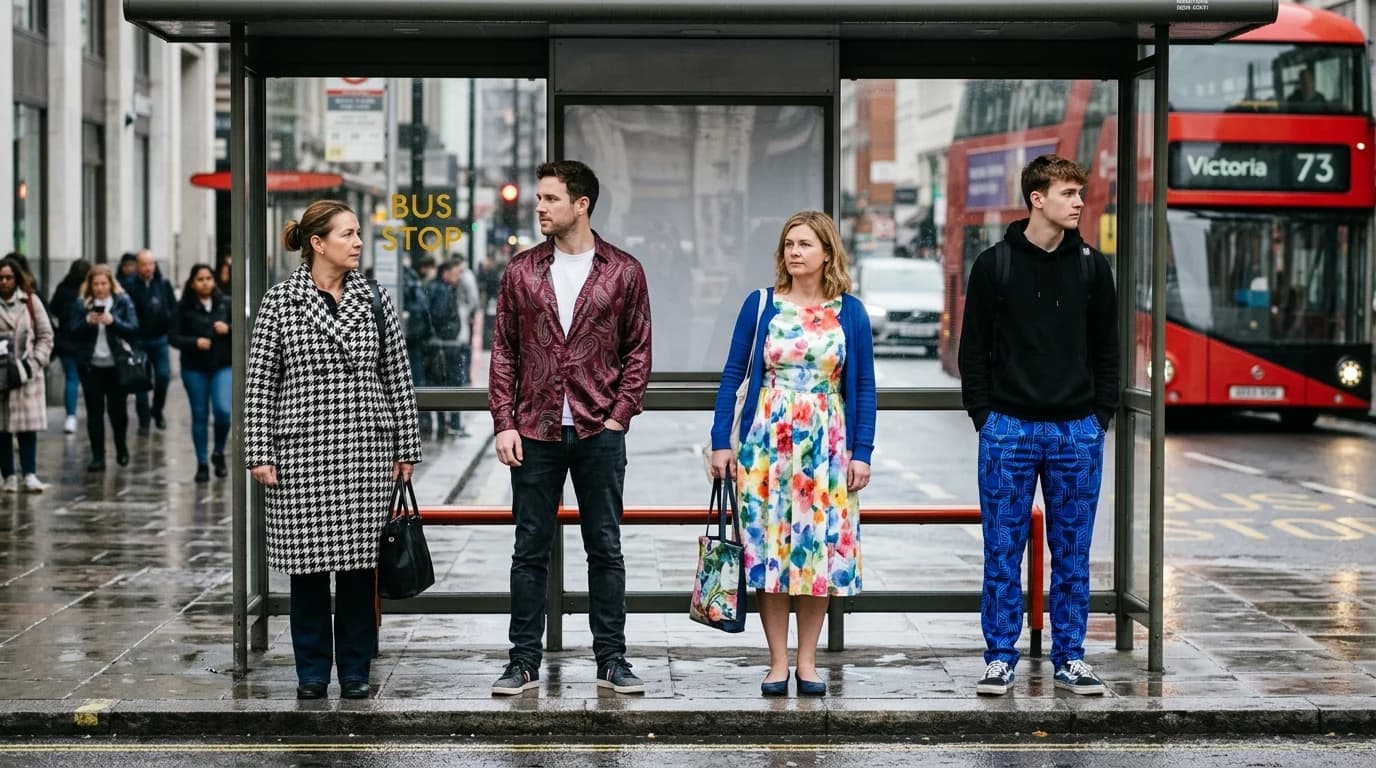
Solid fabrics are straightforward for AI. Patterns are where it gets interesting. A tweed with flecked texture? Fine — tweed's visual signature is distinctive and well-represented in training data. But houndstooth demands a repeating geometric pattern at consistent scale across the entire garment. That's a different problem entirely.
Some patterns come out clean. Others fall apart. The gap comes down to visual distinctiveness, frequency in training data, and how precisely the pattern needs to repeat. Know which patterns fall where and you stop wasting prompts on results that won't deliver.
Patterns the AI handles well
Houndstooth. The classic black-and-white check. Highly distinctive, saturated in fashion training data through its association with tailoring and suiting. You get consistent scale and clean edges. Specify "houndstooth" and that's what appears.
Plaid and tartan. Grid-based patterns with crossing lines. The geometric regularity helps here. Specify the scale ("large-scale tartan" versus "fine plaid") and the dominant colors for best results.
Stripes. Probably the most reliable pattern in AI generation. Horizontal, vertical, pin-stripe, chalk stripe — all render consistently because stripes are simple geometric repetitions. Specify width and direction.
Polka dots. Regular, repeated circles. Simple geometry, consistent generation. Specify the scale: "micro dot," "medium polka dot," "large coin dot."
Herringbone. The V-shaped weave pattern, common in wool suiting. Reliable because the pattern is regular and appears frequently in tailoring imagery.
Animal prints. Leopard, zebra, snakeskin. Well-represented in training data with distinctive enough visual signatures that the AI rarely confuses them. "Leopard print" gives you leopard, not cheetah.
Patterns that struggle
Florals. Here's where generation gets unpredictable. "Floral print" is enormously broad — it could mean a ditsy micro-floral, a large botanical print, a vintage Liberty-style pattern, or a photorealistic rose print. The AI guesses, and it guesses differently each time.
The fix: be extremely specific. "Small-scale ditsy floral in muted earth tones" is far more controllable than "floral print." Name the flower type if you can: "rose print," "peony print," "wildflower scatter." Scale, color palette, and flower type together give the AI enough constraints to produce something consistent.
Paisley. A teardrop-shaped motif of Persian origin. The AI generates it but often at inconsistent scale — teardrop shapes perfectly formed in one section, deformed in another. "Regular repeating paisley" with an explicit scale reference helps.
Ikat. A resist-dyeing technique that produces blurred-edge geometric patterns. The AI knows the term but sometimes confuses ikat's characteristic blurred edges with a poorly rendered geometric. Specify "ikat with soft blurred edges, woven pattern, not printed" to push toward the right interpretation.
Toile de Jouy. Scenic pictorial patterns, typically in one color on a white ground. The AI sometimes produces a general illustration rather than a repeating fabric pattern. Add "repeating textile pattern" and "printed on cotton or linen" to anchor it.
Abstract or custom patterns. Anything without a widely used name is very hard to generate from text alone. "Abstract geometric in teal and gold" could mean almost anything. For custom patterns, image-to-image with a reference image is far more reliable than text-to-image.
Pattern scale matters
Scale changes everything about how a pattern reads on a garment. A large-scale plaid on an A-line skirt looks completely different from a fine-scale plaid on the same skirt. The AI needs explicit scale direction.
Terms that work:
- "Micro" or "fine-scale" — small, densely repeated
- "Medium-scale" — the default if you don't specify
- "Large-scale" or "oversized" — big, bold, fewer repeats across the garment
- "All-over" — pattern covers the entire garment evenly
Terms that help with repeat:
- "Regular repeating pattern" — consistent spacing and scale
- "Placed print" — pattern intentionally positioned (e.g., a single motif centered on the chest)
- "Engineered print" — pattern designed to follow the garment's seams and proportions
Pattern + garment interactions
The same pattern reads differently on different silhouettes. A large-scale floral on a column dress gives you long, unbroken pattern sections. The same floral on a pleated skirt fragments as the pleats fold and hide portions of the print.
The AI approximates these interactions but doesn't always get them right.
Pleated garments with patterns. Sometimes the pattern generates as if the garment were flat, ignoring the folds. Other times it correctly shows the pattern breaking across pleat folds. "Pattern visible across pleats" or "print following garment folds" can nudge it in the right direction.
Bias-cut garments with geometric patterns. On the bias, geometric patterns sit diagonally on the body. The AI sometimes preserves the straight geometry and sometimes correctly diagonalizes it. Specify when you want the pattern on the bias: "houndstooth pattern running diagonally across bias-cut fabric."
Pattern matching at seams. Real garment construction aligns patterns across seams — a stripe that continues unbroken from bodice to sleeve. AI doesn't do this. Patterns break at seam lines. For most viewing contexts it's invisible, but close-up detail shots will look wrong.
Prompting for patterns: the formula
[Garment] in [pattern] [fabric], [color palette], [scale]
Examples:
- "A-line midi skirt in houndstooth wool, black and white, medium scale"
- "Column dress in micro-floral silk charmeuse, muted earth tones, regular repeating pattern"
- "Tailored blazer in large-scale tartan wool, navy and forest green"
The pattern description comes after the garment type and before the fabric, because it modifies the fabric. "Houndstooth wool" is a specific textile. "Wool in houndstooth pattern" is a generic fabric with a pattern applied. The first reads more naturally and tends to produce better results.
FAQ
Which patterns does AI generate most reliably?
Houndstooth, stripes, plaid/tartan, polka dots, herringbone, and animal prints. Geometrically simple, visually distinctive, well-represented in training data. Florals and paisley are less reliable because they vary too widely.
How do I get AI to generate a specific floral pattern?
Be very specific. Name the flower type (rose, peony, wildflower), the scale (ditsy, medium, large botanical), and the color palette (muted earth tones, bright tropical, monochrome). "Small-scale ditsy wildflower in muted sage and cream" is far more controllable than "floral print."
Can AI generate custom or original textile patterns?
Text-to-image is unreliable for custom patterns because there's no training data reference. Use image-to-image instead: create or sketch your pattern concept, then feed it as a reference image. The AI will adapt and render it while preserving the basic motif.
Does pattern scale affect AI generation quality?
Yes. Medium-scale patterns are most reliable. Very small (micro) patterns can blur or lose consistency. Very large patterns may not repeat convincingly across the garment. Specify the scale explicitly in your prompt.