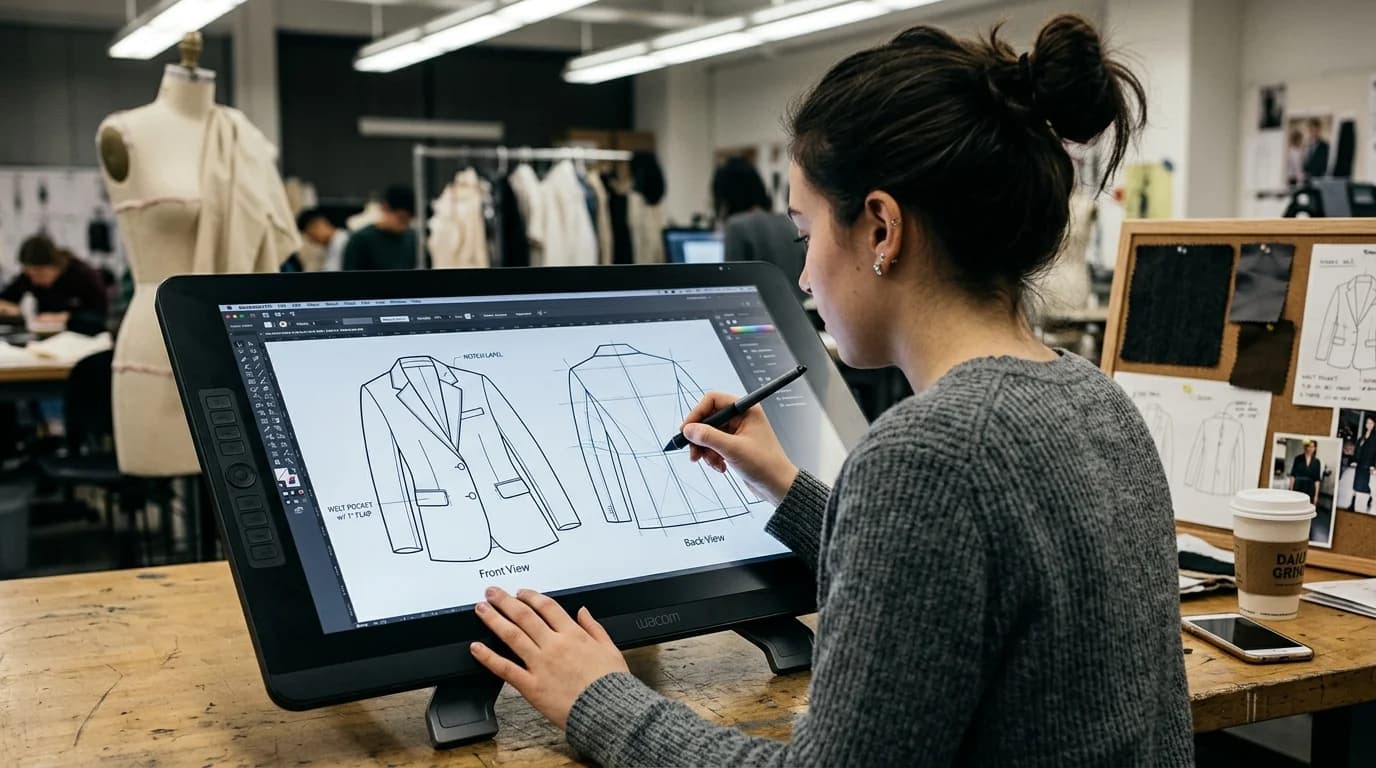
Fashion flats are the clean, schematic line drawings that show a garment laid flat without a body. Design students want them for portfolios, freelance designers need them for tech packs, and brands rely on them throughout product development. Everybody asks whether AI can generate them.
In 2026, it gets you about 70% there. The generated drawings look like flats. But dart placement wanders, seam lines land in odd spots, and proportional relationships between panels stay unreliable. Every AI flat needs a human pass before it goes anywhere near a tech pack.
Below: where generation actually works, where it breaks down, and how to get the most out of it.
What AI can generate
Basic garment outlines. Front and back views of common garment types: blazers, shirts, trousers, skirts, dresses, coats. The overall silhouette reads correctly. An A-line skirt looks like an A-line skirt, a column dress like a column dress. AI handles shape well.
Standard construction indicators. Stitch lines, seam placements, button positions, pocket shapes. These show up when you prompt for them and land roughly where they should on standard garments. A blazer gets lapels, a chest pocket, front buttons, all in about the right places.
Style detail visualization. Want to compare a mandarin collar against a notched lapel on the same blazer flat? AI runs through these comparisons fast. Proportions won't hold up in a tech pack, but they work for design exploration and client conversations.
Multiple views. Front, back, and side of the same garment. Prompt each view separately ("fashion flat, front view" then "fashion flat, back view" with the same garment description). Consistency between views stays rough, but the outputs hold together for presentations.
Where AI falls short
Proportional accuracy. A tech pack flat demands exact proportional relationships: armhole depth relative to shoulder width, dart angle relative to bust point, spacing between buttonholes. AI lands in the vicinity, but "close enough" has never survived a factory floor.
Scale consistency across garments. Generate flats for a 10-piece collection and each generation runs on its own. Scale drifts. A blazer in one image might dwarf a dress in another, even when the dress should be longer. You fix this in post.
Annotation and measurement. Measurement callouts, grainline indicators, construction notes: all absent. You add every one of those by hand. The flat gives you a visual reference, nothing more.
Complex internal construction. Lining, interfacing, understructure: none of it appears unless you prompt for it specifically, and even then the results miss the mark. Bias-cut construction, which changes how panels lay out on the pattern, doesn't translate to AI flats.
Pattern-ready output. AI flats are illustrations, not patterns. You cannot import them into pattern-making software and cut pieces from them. The proportions don't hold and the format doesn't match.
How to prompt for usable flats
Be specific about what kind of drawing you want. "Fashion flat" on its own pulls inconsistent results. Some models read it as an illustration, others render a full garment.
The prompt formula:
"Fashion flat technical drawing, [garment type] with [specific details], [view], black line drawing on white background, clean vector style, no model, no body, garment laid flat"
Example: "Fashion flat technical drawing, single-breasted blazer with notched lapel and two-button front, chest welt pocket, two flap pockets, front view, black line drawing on white background, clean vector style, no model, no body, garment laid flat"
Pack in construction details. "Blazer" alone gives you a generic blazer flat. Add "notched lapel, two-button, chest welt pocket, two flap pockets" and you get something you can actually use.
Generate views separately. Prompt "front view" and "back view" as individual generations. A combined "front and back view" prompt sometimes splits the image cleanly, sometimes produces a garment floating between both angles.
Line style changes everything. "Clean vector style" or "technical illustration style" produces crisper output than "fashion illustration" or "sketch." Hard lines over expressive marks, always.
The practical workflow
For design exploration
Generate flats to test design ideas fast. Production accuracy does not matter here. Treat these the way you'd treat quick pencil sketches: a way to see shapes and details before you commit to deeper development.
- Write a garment description with specific fashion vocabulary
- Generate the flat with the formula above
- Generate 3-5 variations
- Pick a direction from the outputs
- Hand off to traditional flat-drawing methods for production accuracy
For client presentations
AI flats hold up in presentations where you need garment concepts before production. They work for mood boards, line sheets, and pitch decks.
- Generate front and back views for each garment
- Normalize scale in post (resize all flats to consistent proportions)
- Add annotations by hand: fabric callouts, color specs, construction notes
- Present as concept illustrations, not production documents
For tech packs
AI flats give you a starting point. Generate the basic shape, then redraw or refine in Adobe Illustrator or a dedicated fashion CAD tool. You get a rough shape and proportions to build from instead of a blank artboard.
- Generate the flat with maximum construction detail in the prompt
- Import into Illustrator or your flat-drawing tool
- Trace and correct proportions
- Add measurements, annotations, and construction specs
- The AI cut your drawing time. Accuracy requirements did not change.
FAQ
Can AI generate production-ready fashion flats?
Not yet. Shape and major details come out close, but proportional accuracy, detail placement, and scale consistency fall short of what tech packs require. Use AI flats for exploration and presentation. Redraw for production.
What's the best prompt format for fashion flats?
"Fashion flat technical drawing, [garment type] with [specific details], [view], black line drawing on white background, clean vector style, no model, no body, garment laid flat." More construction details in the prompt means more specific output.
How do AI flats compare to hand-drawn flats?
Faster to generate and useful for early exploration. Hand-drawn or CAD flats carry the accuracy production demands. What works: AI for the first round, then manual methods once precision matters.
Can I use AI flats in a tech pack?
As a starting reference. Generate the shape, import into Illustrator or CLO, trace and correct proportions, then add measurements and construction notes. AI saves time on the initial shape. The tech pack still needs human precision.